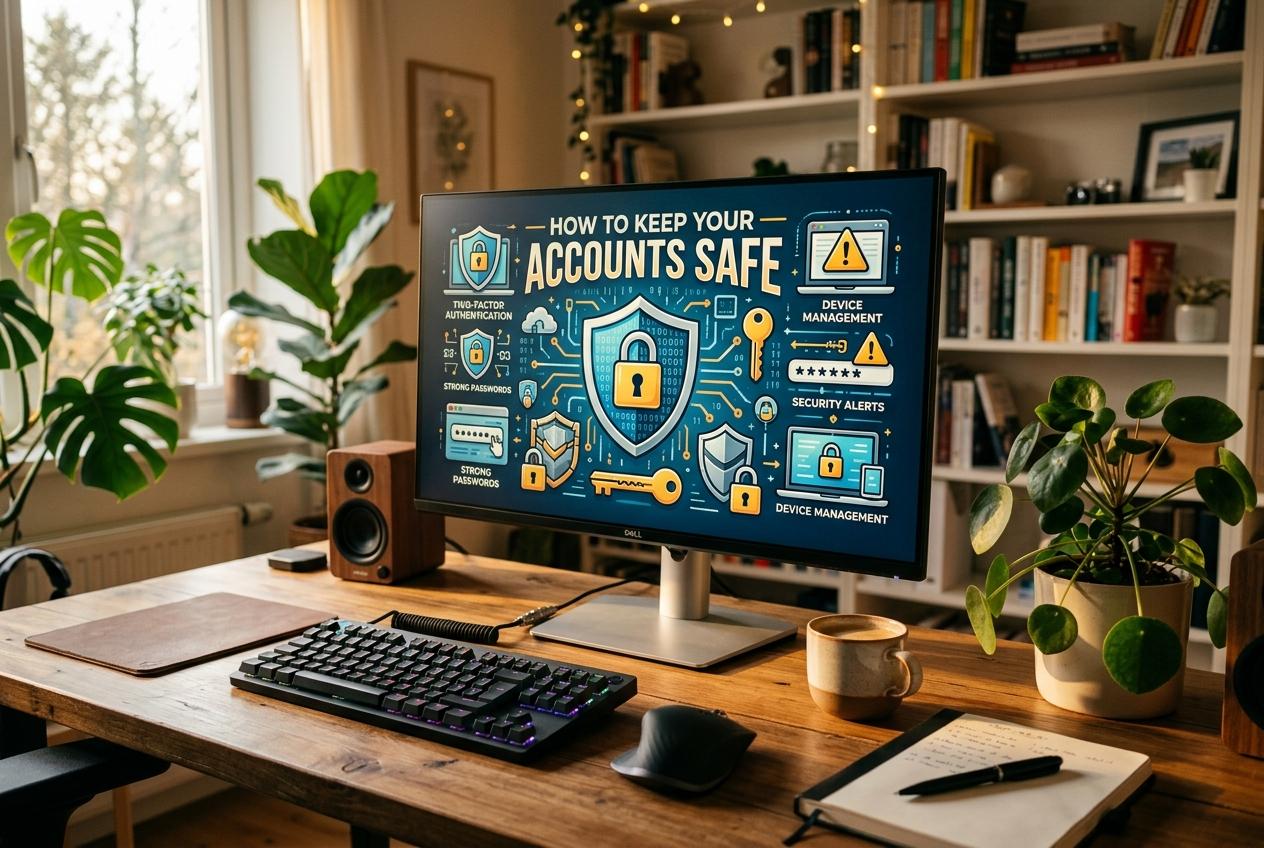
A Complete Guide to Protecting Your Digital Life
Published · Updated
In today's digital world, passwords are the first line of defense against unauthorized access to our personal information. From email accounts and social media profiles to online banking and shopping…
In today's digital world, passwords are the first line of defense against unauthorized access to our personal information. From email accounts and social media profiles to online banking and shopping websites, we rely on passwords every day. However, as cyber threats become more sophisticated, simply creating a password is no longer enough. Understanding password protection and online security is essential for keeping your digital life safe.
Whether you are an individual, a student, a business owner, or a professional, adopting good security habits can significantly reduce the risk of identity theft, financial fraud, and data breaches.
Why Password Security Matters
Your online accounts often contain sensitive information, including personal details, financial records, private conversations, and business documents. If someone gains access to one of your accounts, they may use that information to impersonate you, steal money, or compromise other accounts.
One common threat is credential stuffing, in which attackers use usernames and passwords stolen from one website to attempt to access accounts on other platforms. This is particularly dangerous when people reuse the same password across multiple services.
A strong, unique password for every account helps limit the damage if one service experiences a security breach.
How to Create a Strong Password
A strong password should be difficult for other people to guess and resistant to automated attacks. Instead of relying on predictable combinations, follow these practical guidelines:
Use long passwords: Aim for at least 15 characters when the service allows it.
Make every password unique: Never reuse an important password across different websites.
Avoid personal information: Do not include easily discovered details such as your name, birthday, phone number, or favorite team.
Consider a passphrase: A combination of several unrelated words can be easier to remember while providing good security when sufficiently long and unpredictable.
Avoid predictable patterns: Passwords such as “Password123” or “Admin@123” are common and easy to guess.
For example, instead of using a short, predictable password, create a long, randomly generated password with the help of a trusted password manager.
Remember that adding a symbol or number to a common word does not automatically make a password secure. Length, uniqueness, and unpredictability are more important than simply including different character types.
Use a Password Manager
Remembering a different, complex password for every online account can be difficult. A password manager solves this problem by securely storing your passwords in an encrypted vault.
A reliable password manager can help you:
Generate strong, random passwords.
Store unique passwords for different accounts.
Fill in login details on trusted websites.
Identify weak or reused passwords.
Reduce the temptation to save passwords in unsecured documents or notes.
Choose a reputable password manager, protect its vault with a strong master passphrase, and enable multifactor authentication when available. Never share your master password with other people.
Enable Two-Factor Authentication
A password alone may not be enough to protect an account. Two-factor authentication (2FA), also called multifactor authentication (MFA), adds another layer of protection by requiring an additional verification step.
Depending on the service, this may involve an authenticator app, a security key, a passkey, or a verification code.
Whenever possible, use a passkey or a hardware security key, or choose an authenticator app over SMS-based codes. Text messages can be vulnerable to SIM-swapping attacks, although SMS verification is generally better than relying on a password alone.
Keep your account recovery codes in a secure location so you can regain access if your usual authentication method becomes unavailable.
Recognize Phishing and Online Scams
Even a strong password cannot protect you if you willingly hand it to a criminal. Phishing attacks use deceptive emails, text messages, websites, or social media messages to trick people into revealing passwords or financial information.
Be cautious when a message:
Claims your account will be closed unless you act immediately.
Requests your password, verification code, or recovery code.
Contains unexpected attachments or suspicious links.
Offers prizes, refunds, or investment opportunities that seem too good to be true.
Pretends to come from a bank, delivery company, employer, or technical support team.
Before entering your login details, check the website address carefully. If a message claims to come from a bank or another important service, visit its official website directly rather than clicking the link in the message.
Legitimate support staff should not ask you to disclose your password or one-time authentication codes.
Keep Your Devices and Software Secure
Online security depends on more than passwords. Your computer, smartphone, browser, and applications also need protection.
Install security updates promptly, use a screen lock on your devices, and enable built-in security features. Download applications only from trusted sources, and remove software you no longer use.
Avoid logging in to sensitive accounts on public or shared computers whenever possible. If you must use one, never save your password, sign out completely, and close the browser when finished.
When using public Wi-Fi, avoid trusting the network simply because it appears familiar. HTTPS protects information exchanged with a properly configured website, but it does not guarantee that the website itself is legitimate. A reputable VPN may add privacy on untrusted networks, but it cannot replace safe browsing habits.
What to Do If Your Password Is Compromised
If you suspect that your password has been stolen, act quickly. A prompt response can help prevent further damage.
Change the compromised password using the service's official website or application.
Change the same password anywhere else you have reused it.
Sign out of other sessions and devices, if the service offers that option.
Enable multifactor authentication and review your recovery email address and phone number.
Check recent account activity for unfamiliar logins, messages, transactions, or settings changes.
If financial information may be affected, contact your bank or payment provider through its official channels.
If you cannot access your account, use the official account recovery process. Be cautious of people who contact you unexpectedly and claim they can recover your account for a fee.
Password Security for Businesses
Businesses face additional risks because a compromised employee account can expose customer records, internal systems, and confidential company information.
Organizations should establish clear security policies, require multifactor authentication for important accounts, limit access according to job responsibilities, and provide regular security awareness training.
Administrators should also use secure password storage practices, monitor suspicious login activity, and maintain a tested incident response plan. Passwords must never be stored in plain text in databases or application code. Developers should use established authentication frameworks and secure password-hashing algorithms, such as Argon2id or bcrypt, rather than inventing their own password-storage mechanisms.
These measures help reduce the likelihood that a single compromised account will become a larger security incident.
The Future of Password Security
Technology is gradually moving toward passwordless authentication. Passkeys, which use public-key cryptography, allow users to sign in using a device's built-in security features, such as a fingerprint, facial recognition, or a device PIN.
Unlike traditional passwords, passkeys are designed to resist phishing because authentication is tied to the legitimate website or service. They can also reduce the risks associated with password reuse and stolen login credentials.
Although passwords remain widely used, adopting passkeys wherever supported can make everyday online activities both safer and more convenient.
Password and online security are essential parts of modern life. Strong, unique passwords, a trusted password manager, multifactor authentication, regular software updates, and awareness of phishing attempts can significantly improve your digital safety.
You do not need to be a cybersecurity expert to protect yourself. Start with a few simple steps: secure your primary email account, replace reused passwords, enable multifactor authentication, and review your account recovery settings.
Your online security is an ongoing responsibility, not a one-time task.** Building good digital habits today can help protect your personal information, finances, and online identity for years to come.
Never type a real password into a web page. That includes this one. Our tools analyse and generate passwords entirely in your browser and never transmit them — see the about page for how that is implemented.