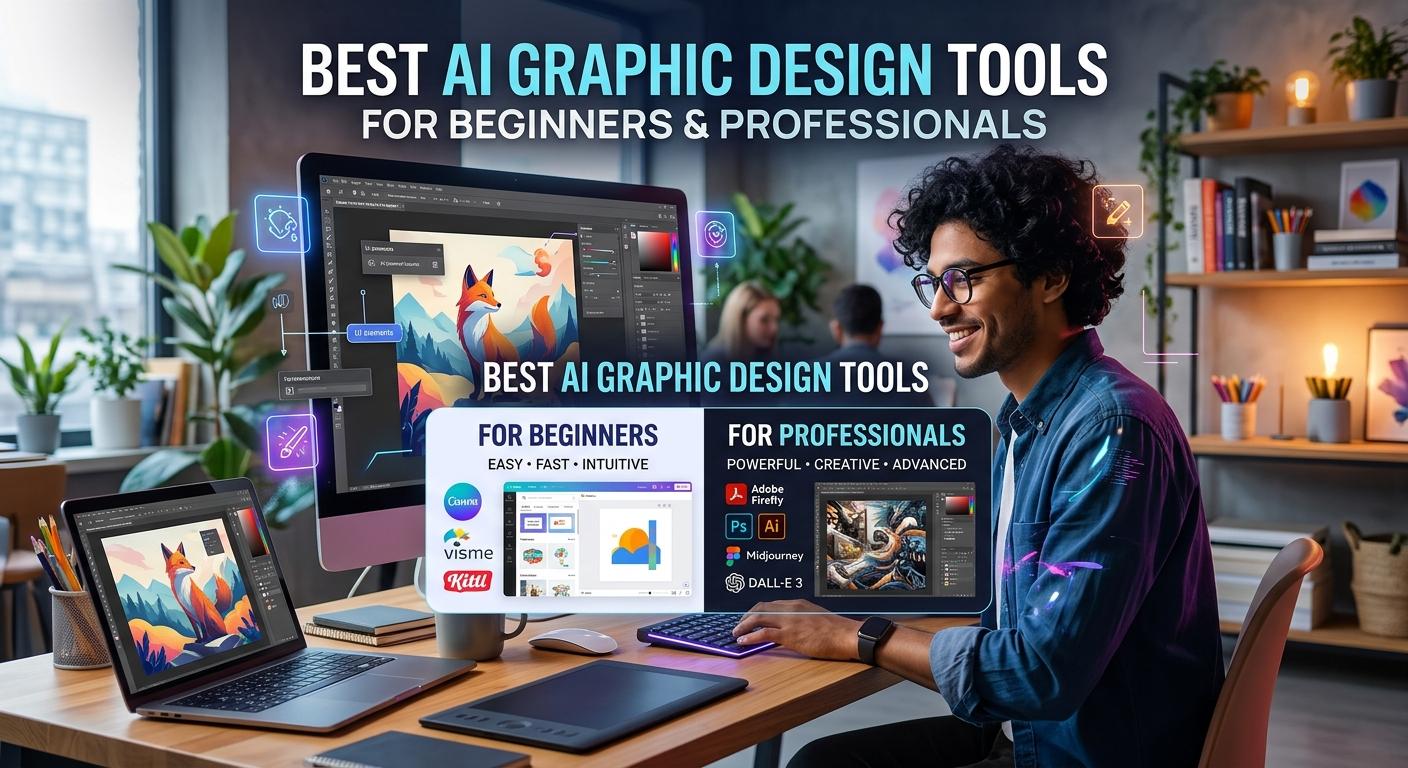
Best AI Image Generators in 2026 Free & Paid Tools Compared
Published · Updated
AI image generators are changing the way people create digital content. Whether you need realistic photos, professional product images, social media graphics, YouTube thumbnails, illustrations, or…
AI image generators are changing the way people create digital content. Whether you need realistic photos, professional product images, social media graphics, YouTube thumbnails, illustrations, or digital artwork, modern AI tools can turn a simple text prompt into a visual in seconds.
The good news is that you do not need to be a professional designer to get started. Many of the best AI image generators offer free access, beginner-friendly interfaces, and tools for editing existing images. Paid plans can provide additional generations, advanced editing features, higher usage limits, and more creative control.
However, choosing the right tool can be confusing. Some platforms excel at artistic images, others are better at generating readable text, and some combine AI image generation with complete graphic design tools.
In this guide, we compare the 10 best AI image generators in 2026, including free and paid options, their key features, ideal use cases, and important limitations. By the end, you will have a clearer idea of which AI image generator suits your needs and budget.
Quick Comparison: Best AI Image Generators in 2026
AI Image Generator | Best For | Free Access | Paid Options |
|---|---|---|---|
ChatGPT Images | General-purpose images and conversational editing | Limited access | Available through eligible paid plans |
Google Gemini | Everyday image creation and editing | Limited access | Google AI plans |
Midjourney | Artistic and cinematic visuals | Generally no standard free plan | Paid subscriptions |
Adobe Firefly | Professional creative workflows | Limited free generations | Paid subscriptions |
Ideogram | Posters and text-heavy graphics | Limited free credits | Paid subscriptions |
Leonardo AI | Digital art and game assets | Limited free tokens | Paid subscriptions |
Canva AI | Social media and marketing designs | Limited AI features | Canva paid plans |
Microsoft Designer / Image Creator | Quick images and simple creative projects | Free access with limits | Microsoft services and applicable plans |
Recraft | Vector graphics and brand assets | Limited free access | Paid plans |
Stable Diffusion | Customization and advanced image generation | Free options available | Optional paid services and hardware costs |
Free allowances, plan names, availability, and prices can change. Check each provider's official website for current terms before subscribing.
1. ChatGPT Images — Best for Beginners and Everyday Creativity
ChatGPT Images is a convenient choice for people who want to create pictures by describing what they have in mind. Instead of learning complicated design settings, you can explain your idea in ordinary language and refine the result through follow-up instructions.
For example, you might request a professional product photograph with a white background, soft lighting, and a clean composition. If the first result is not quite right, you can ask for a different background, a new color palette, or a change in the image's overall style.
Key features:
Generate images from text prompts.
Refine and edit images through conversational instructions.
Create illustrations, concept art, promotional visuals, and product concepts.
Experiment with different compositions and visual styles.
Free or paid? Limited image-generation access may be available on the free plan, while paid plans can offer different limits and capabilities.
Best for: Beginners, bloggers, content creators, and small business owners who want a straightforward AI image generator without a complicated workflow.
Website: https://chatgpt.com/
2. Google Gemini — Best for Convenient AI Image Creation
Google Gemini is another useful option for generating and editing images using natural-language instructions. Its image-generation capabilities make it possible to explore ideas, develop visual concepts, and modify images through an interactive conversation.
You could use it to create a blog illustration, experiment with a product concept, or generate several visual directions for a marketing campaign.
Gemini is particularly convenient if you already use Google's ecosystem. Depending on the model and access level, its capabilities and usage limits may differ.
Key features:
Text-to-image generation.
Image editing through prompts.
Creative brainstorming and visual experimentation.
Integration with a conversational AI workflow.
Free or paid? Free access is available with limits; eligible Google AI subscriptions may provide additional capabilities or usage.
Best for: Students, bloggers, casual creators, and users who want to experiment with AI-generated images before paying for a dedicated design platform.
Website: https://gemini.google.com/
3. Midjourney — Best for Artistic and Cinematic Images
Midjourney is widely associated with highly stylized AI artwork, imaginative compositions, and visually polished results. It is a strong candidate when appearance and artistic direction matter more than having an all-in-one design editor.
It can be useful for fantasy landscapes, science-fiction concepts, editorial-style illustrations, mood boards, and creative projects that need a distinctive visual identity.
The quality of your prompt matters. Describing the lighting, composition, atmosphere, materials, camera perspective, and intended art style can help guide the result.
Key features:
Artistic and stylized image generation.
Support for detailed creative direction.
Useful visual exploration for concept art and mood boards.
Options for developing consistent visual themes through iterative prompting.
Free or paid? Midjourney generally requires a paid subscription to use its standard image-generation service. Review the current subscription options before signing up.
Best for: Digital artists, illustrators, creative professionals, and anyone seeking distinctive, high-impact visuals.
Website: https://www.midjourney.com/
4. Adobe Firefly — Best for Professional Design Workflows
Adobe Firefly is designed for people who want AI generation and editing within a broader creative workflow. It supports image creation and editing features, with additional tools available across Adobe's creative ecosystem.
One practical advantage is its connection to familiar design applications and workflows. Depending on the feature, you can generate a new image, expand an existing composition, or make changes to visual elements without rebuilding everything from scratch.
Adobe also emphasizes commercially oriented creative workflows. However, users should still review the relevant product terms, licensing conditions, and any applicable business requirements before using generated images in paid projects.
Key features:
Generate images from text descriptions.
Edit, expand, or transform existing visuals with AI tools.
Work alongside compatible Adobe creative applications.
Explore concepts for advertising, presentations, and marketing materials.
Free or paid? Adobe offers limited free access and paid plans with different generative-credit allowances. Exact limits depend on the plan and feature.
Best for: Designers, marketers, businesses, and creators who need AI image generation alongside professional editing tools.
Website: https://firefly.adobe.com/
5. Ideogram — Best for Images Containing Text
One of the frustrating aspects of AI image generation has traditionally been getting words to appear correctly inside an image. Posters, promotional graphics, logos, and social media advertisements often require readable text, not just attractive artwork.
Ideogram is worth considering when typography is central to your design. It can help create visual concepts involving headlines, lettering, and text-based compositions.
For example, you could explore a promotional poster with a short headline, a colorful background, and a clear visual hierarchy. You should still proofread every generated word before publishing.
Key features:
Text-focused image generation.
Poster and promotional graphic concepts.
Typography-led visual experimentation.
Creative styles suitable for social media content.
Free or paid? Limited free access and paid subscription options may be available. Check the current credit limits and licensing terms.
Best for: Bloggers, marketers, content creators, and small businesses that need images with prominent lettering.
Website: https://ideogram.ai/
6. Leonardo AI — Best for Digital Art and Game Assets
Leonardo AI is a versatile creative platform for generating digital artwork, illustrations, characters, and visual assets. It offers a range of creative controls that may appeal to users who want more flexibility than a basic text-to-image interface provides.
Game developers and concept artists can use AI-generated images to explore environments, characters, props, and visual directions before investing time in detailed production.
It can also help creators develop ideas for book illustrations, fantasy artwork, and promotional graphics.
Key features:
AI-generated illustrations and digital artwork.
Tools for exploring different visual styles.
Image-generation and editing workflows.
Creative experimentation for character and environment concepts.
Free or paid? Leonardo AI offers limited free access and paid plans. Token allowances and available features depend on the current plan.
Best for: Digital artists, game designers, illustrators, and creators who want more creative control.
Website: https://leonardo.ai/
7. Canva AI — Best for Social Media and Marketing Designs
Canva AI is especially useful when you need more than an image. A finished social media post, advertisement, presentation, or YouTube thumbnail often requires a combination of visuals, text, branding, and layout.
Canva brings AI-assisted image generation into a broader design environment. After generating a visual, you can incorporate it into a design, add headings, adjust layouts, and prepare content for different platforms.
This makes Canva a practical choice for users who do not have extensive graphic design experience.
Key features:
AI-assisted image creation.
Templates for social media, presentations, and marketing.
Text, layout, and branding tools.
Design workflows for multiple content formats.
Free or paid? Canva offers a free plan with limitations, while paid plans provide additional features and allowances. AI access varies by feature and subscription.
Best for: Small businesses, social media managers, bloggers, teachers, and non-designers creating everyday marketing materials.
Website: https://www.canva.com/
8. Microsoft Designer and Image Creator — Best for Quick, Simple Images
Microsoft's image-generation tools are convenient for users who want to produce visuals without installing specialist software. Depending on the current Microsoft product and account access, image creation may be available through Image Creator or related Designer experiences.
You can describe a scene, request an illustration, or explore concepts for a presentation or personal project. The browser-based approach makes it accessible to people who prefer not to configure advanced creative tools.
Key features:
Generate images from written descriptions.
Explore illustrations and creative concepts.
Browser-based access through supported Microsoft services.
Useful for quick visual experiments and simple projects.
Free or paid? Free access may be available, subject to account requirements, usage limits, and Microsoft's current policies.
Best for: Casual users, students, and anyone who needs a quick image without a complex setup.
Website: https://designer.microsoft.com/
9. Recraft — Best for Vector Graphics and Brand Assets
Recraft is worth exploring if your work involves design assets rather than only standalone pictures. Vector graphics are particularly useful for icons, illustrations, and other elements that may need to be resized without losing sharpness.
Brand designers can use tools in this category to explore icon styles, visual identities, and graphic concepts. However, AI-generated logo concepts should be reviewed carefully before being adopted as a final brand identity.
Key features:
AI-assisted graphic creation.
Vector-oriented design workflows.
Icon and illustration concepts.
Visual assets for branding and marketing projects.
Free or paid? Free access may have limitations, and paid plans can offer additional capabilities. Carefully check the commercial-use rights associated with the specific plan you choose.
Best for: Brand designers, illustrators, and creators who need scalable graphic assets.
Website: https://www.recraft.ai/
10. Stable Diffusion — Best for Advanced Customization
Stable Diffusion is a strong option for users who want greater control over how AI images are generated. Depending on the model, interface, and setup, users can experiment with model choices, workflows, image references, and other technical settings.
Some Stable Diffusion workflows can run locally on compatible hardware, while others rely on hosted services. Local generation can reduce dependence on a platform's daily generation limits, but it may require a capable computer and some technical knowledge.
It is not necessarily the easiest option for a beginner. However, the flexibility can be valuable for users who want to build repeatable creative workflows.
Key features:
Flexible image-generation workflows.
Options for custom models and configurations.
Support for experimentation and advanced creative control.
Local or hosted usage, depending on the implementation.
Free or paid? Some models and local workflows are available without a subscription, although hardware, electricity, hosting, or commercial services may involve costs. Model licenses differ, so review the terms for the exact model you use.
Best for: Advanced creators, technical users, developers, and artists who want more control over their image-generation process.
Website: https://stability.ai/
How to Choose the Best AI Image Generator for Your Needs
The best AI image generator depends on what you want to create. Paying for the most expensive tool is not necessarily the best decision, particularly if you only generate a few images each week.
Consider these practical recommendations:
For free AI image generation: Start with Google Gemini, Microsoft Image Creator, or the limited free access offered by other platforms.
For artistic images: Explore Midjourney and Leonardo AI.
For professional creative workflows: Consider Adobe Firefly.
For text inside images: Try Ideogram and compare its results with other tools.
For social media graphics: Canva AI is useful because it combines image creation with design and layout features.
For advanced customization: Explore Stable Diffusion if you are comfortable with its setup requirements.
For conversational image editing: ChatGPT Images is a convenient starting point.
Before subscribing, test the same prompt across two or three platforms. Compare image quality, accuracy, editing flexibility, generation limits, and the amount of work required to produce a finished result.
Tips for Getting Better Results From AI Image Generators
Even the best AI image generator can produce disappointing results when the prompt is vague. A little planning can make a noticeable difference.
1. Describe the subject clearly. Instead of asking for “a product image,” specify the product, background, composition, and intended use.
2. Include visual details. Mention lighting, colors, perspective, atmosphere, and style when these details matter.
3. State the intended format. Tell the tool whether you need a square social media image, a wide blog banner, a portrait illustration, or a presentation visual.
4. Make small edits. If the first image is close to what you want, request specific changes instead of starting again with an entirely different prompt.
5. Review the final image. Check spelling, object placement, faces, hands, background details, and visual inconsistencies before publishing.
6. Check licensing and privacy. Review the tool's terms before using images commercially. Avoid uploading confidential documents, sensitive photographs, or personal information unless you understand the platform's privacy practices.
Are AI-Generated Images Free to Use Commercially?
Not always. Free access to an AI image generator does not automatically mean unrestricted commercial rights.
Some services place conditions on commercial use, while others distinguish between free and paid plans or apply separate model licenses. Copyright protection for AI-generated content also varies by jurisdiction and circumstances.
If you plan to use an image on a monetized blog, in advertising, on product packaging, or for a paying client, check:
Whether commercial use is permitted under your specific plan.
Whether attribution is required.
Whether the image or model has additional licensing restrictions.
Whether the image contains recognizable trademarks, copyrighted characters, or a person's likeness.
Whether you need to keep records of the image's source and license.
For business-critical work, read the provider's current terms rather than relying solely on a tool's marketing claims.
Frequently Asked Questions
What is the best AI image generator in 2026?
There is no single winner for every situation. ChatGPT Images and Google Gemini are convenient for everyday creation, Midjourney is a strong option for artistic visuals, Adobe Firefly suits professional creative workflows, and Canva AI is useful for complete marketing designs.
Which AI image generator is best for free use?
Google Gemini and Microsoft Image Creator are reasonable starting points. Other services also provide limited free access. Compare their current generation limits, account requirements, image quality, and terms before deciding.
Can I generate images using only text?
Yes. Text-to-image tools let you describe a scene, object, character, or design in ordinary language. The AI uses your description to create a visual, although the result may need several revisions.
Are AI image generators suitable for bloggers?
Yes. Bloggers can use them to create article illustrations, featured images, conceptual graphics, and supporting visuals. Review the output for accuracy and check the relevant usage terms before publishing.
Do I need graphic design skills to use AI image generators?
No. Many tools are designed for beginners. However, basic knowledge of composition, color, typography, and visual consistency can help you create more polished results.
Will AI image generators replace graphic designers?
AI tools can speed up brainstorming and routine production, but they do not remove the need for creative judgment. Designers still contribute brand understanding, art direction, consistency, problem-solving, and final quality control.
Final Verdict - Which AI Image Generator Should You Try First?
AI image generation has become a practical option for bloggers, students, businesses, designers, and everyday creators. The right platform depends on whether you prioritize free access, artistic quality, readable text, professional editing, or advanced customization.
If you are new to the technology, start with a free option and test a few prompts before spending money. If you regularly create client work or marketing materials, evaluate the paid features and commercial licensing terms that matter to your workflow.
Ultimately, the best AI image generator is the one that produces the results you need, fits your budget, and allows you to use those results appropriately. Try a few tools, compare their output, and choose based on your real creative needs rather than hype alone.
Editorial note: AI models, free allowances, subscription prices, and usage rights change frequently. Recheck official provider pages before updating this guide or making a purchase.
Never type a real password into a web page. That includes this one. Our tools analyse and generate passwords entirely in your browser and never transmit them — see the about page for how that is implemented.