Best AI Graphic Design Tools for Beginners and Professionals
Published · Updated
Best AI Graphic Design Tools for Beginners and Professionals in 2026Graphic design has changed dramatically over the past few years. What once required hours of manual editing, advanced software…
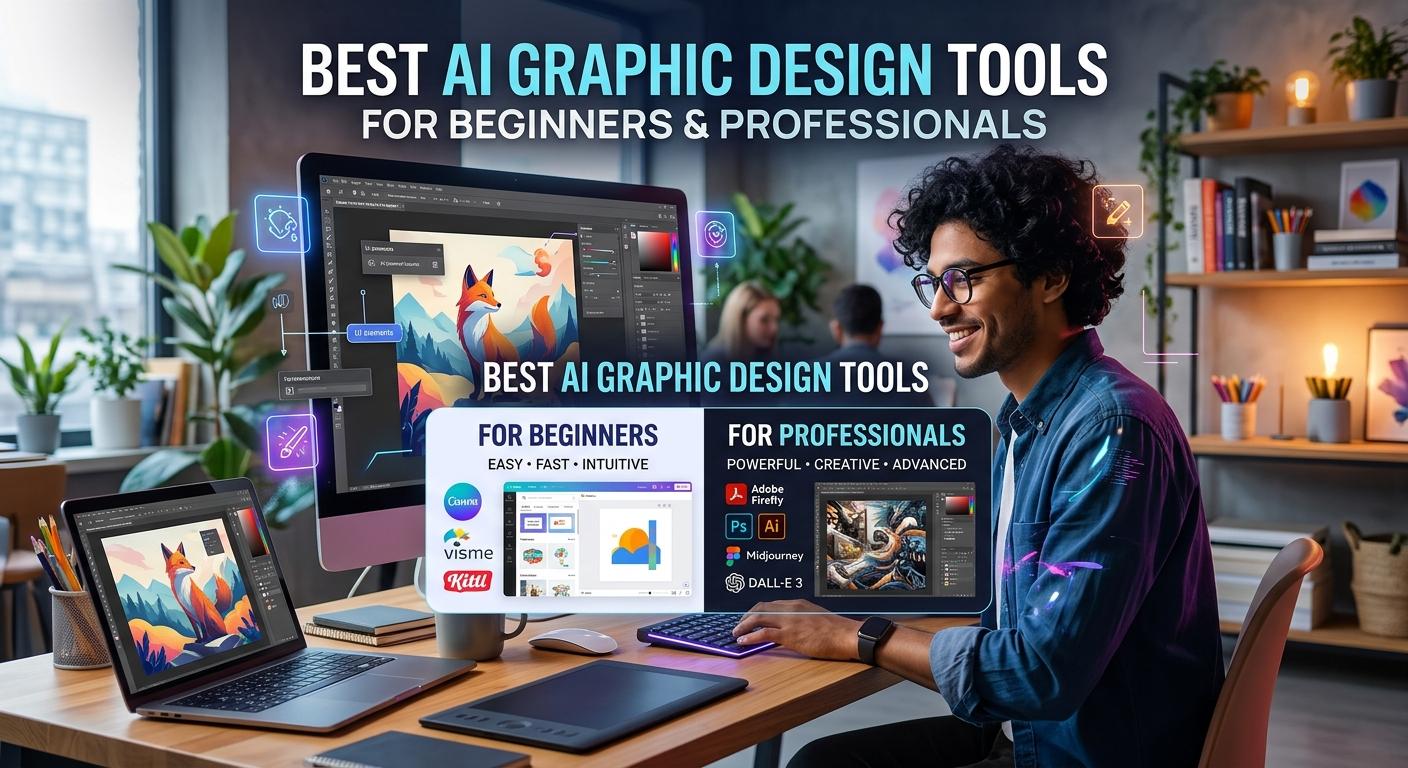
Graphic design has changed dramatically over the past few years. What once required hours of manual editing, advanced software skills, and expensive design resources can now be done much faster with the help of artificial intelligence. From creating social media posts to designing logos, marketing banners, product images, and website layouts, AI graphic design tools are making creative work more accessible than ever.
The best part? You do not need to be a professional designer to get started. Many AI design tools allow you to describe what you want in simple words and turn your ideas into visual content within minutes. At the same time, professional designers can use these tools to speed up repetitive tasks, explore new concepts, and improve their creative workflows.
However, not every AI design tool serves the same purpose. Some are ideal for beginners who need ready-made templates, while others offer advanced image editing, vector graphics, typography, and collaborative design features.
In this guide, we will explore the best AI graphic design tools for beginners and professionals in 2026, explain what makes each one useful, and help you choose the right option for your creative needs.
What Are AI Graphic Design Tools?
AI graphic design tools are applications that use artificial intelligence to help users create, edit, and improve visual content. Depending on the platform, you can generate images from text prompts, remove unwanted backgrounds, create branded graphics, resize designs, generate illustrations, or develop layouts automatically.
For example, you could enter a prompt such as "Create a modern Instagram advertisement for a skincare brand with a clean white background and green accents." An AI design tool can use that description to generate an initial concept that you can customize.
Popular capabilities include:
Text-to-image generation: Create original visuals from written descriptions.
AI image editing: Modify selected areas, replace objects, or extend an image.
Automatic background removal: Isolate products, people, or other subjects.
AI logo and branding assistance: Explore logo concepts, color palettes, and brand styles.
Social media design: Generate posts, advertisements, thumbnails, and promotional graphics.
AI typography and layout: Experiment with text effects, compositions, and design arrangements.
Workflow automation: Reduce repetitive work such as resizing graphics or creating variations.
These features make AI-powered graphic design useful for freelancers, small businesses, marketing teams, content creators, students, and experienced designers.
1. Canva AI — Best Overall AI Design Tool for Beginners
Canva is one of the easiest platforms for people who want to create attractive graphics without learning complicated design software. Its AI-powered features, available through its Magic Studio ecosystem and other design tools, help users turn ideas into editable visual content.
<PLACEHOLDER_IMAGE: Canva AI graphic design editor and social media templates>
Canva is especially useful for designing Instagram posts, YouTube thumbnails, presentations, posters, flyers, business cards, and marketing materials. Instead of building every design from scratch, you can choose a template, customize the content, and use available AI features to speed up the process.
Key features
AI-assisted design and layout generation.
Text-to-image creation through supported AI features.
AI writing assistance for headlines and promotional copy.
Background removal and image editing features, depending on your plan.
Brand tools for maintaining consistent colors, fonts, and visual styles.
Who should use Canva AI?
Canva is an excellent choice for beginners, bloggers, social media managers, entrepreneurs, and small businesses. It is also useful for professionals who need to produce multiple marketing graphics quickly.
The main advantage is simplicity. You can create a polished design without mastering advanced editing techniques. However, designers who need highly detailed vector editing or complete control over complex compositions may prefer a specialized application.
Best for: Social media graphics, presentations, marketing designs, and everyday visual content.
2. Adobe Firefly — Best for Professional AI Image Creation
Adobe Firefly is a powerful option for designers who want to generate creative assets and edit images with artificial intelligence. It supports workflows involving image generation, generative editing, visual experimentation, and other creative tasks. Some features also connect with Adobe's broader creative software ecosystem.
<PLACEHOLDER_IMAGE: Adobe Firefly AI-generated image and generative editing workspace>
One of its biggest strengths is the ability to explore visual concepts without starting with a blank canvas. A designer can generate several background ideas, experiment with different visual styles, or create elements for a larger advertising campaign.
Adobe Firefly is particularly useful when AI-generated content needs further refinement in professional editing software. Instead of treating the first generated image as the finished product, designers can incorporate it into a broader creative workflow.
Key features
Text-to-image generation.
Generative image editing and fill tools.
Creative asset exploration and visual concept development.
Support for selected vector and video generation workflows.
Integration with compatible Adobe creative applications.
Who should use Adobe Firefly?
Professional graphic designers, advertising teams, photographers, and creative agencies may benefit from Firefly, particularly if they already use Adobe products.
Businesses should still review the applicable licensing terms, feature availability, and usage rights before using generated assets in commercial projects. The presence of an AI tool does not automatically guarantee that every output is suitable for every business purpose.
Best for: Professional image creation, advertising concepts, image editing, and creative production workflows.
3. Midjourney — Best for Artistic AI Images
Midjourney is well known for generating visually striking images from detailed text prompts. It is especially useful when the goal is to explore artistic styles, develop mood boards, create imaginative illustrations, or produce distinctive visual concepts.
<PLACEHOLDER_IMAGE: Midjourney AI-generated fantasy artwork and cinematic visual concepts>
For example, a designer working on a travel campaign might generate several concepts featuring dramatic landscapes, cinematic lighting, and a particular color palette. These visuals can help establish the direction of a project before the final design is assembled.
Midjourney is not a complete replacement for traditional graphic design software. It is primarily an image-generation tool, so you may need another application to arrange typography, refine layouts, add logos, or prepare production-ready files.
Key features
Text-to-image generation.
Exploration of artistic styles and compositions.
Visual concept development for campaigns and creative projects.
Reference-based creative workflows, where supported.
Generation of multiple visual directions from different prompts.
Who should use Midjourney?
Midjourney is a strong option for illustrators, art directors, concept artists, and designers who want original imagery with a distinctive visual style.
Beginners can use it to explore creative ideas, although getting consistent results may require practice with prompt writing and image selection.
Best for: Artistic visuals, concept art, mood boards, and creative inspiration.
4. Figma AI — Best for UI/UX and Digital Product Design
Figma is widely used for designing websites, mobile applications, interfaces, and digital products. Its AI capabilities can support parts of the design process, helping teams explore layouts, accelerate repetitive work, and develop prototypes more efficiently.
<PLACEHOLDER_IMAGE: Figma interface design workspace with mobile app mockups>
Unlike tools focused mainly on generating standalone images, Figma is built around editable design files and collaborative product workflows. This makes it especially valuable when a design must become part of a website or application rather than simply an image for social media.
For example, a product designer might use AI-assisted workflows to explore a dashboard layout, develop an initial interface concept, and refine the result with reusable components.
Key features
AI-assisted design and prototyping workflows.
Collaborative editing and feedback.
Reusable components and design systems.
Tools for organizing website and app layouts.
Support for interactive prototypes and product design workflows.
Who should use Figma AI?
Figma is best suited to UI/UX designers, web designers, product teams, and developers who collaborate on digital experiences.
It may be more complex than necessary for someone who only needs a quick promotional graphic. However, for digital product design, it offers a more structured workflow than a general-purpose image generator.
Best for: Website layouts, mobile app interfaces, wireframes, and collaborative product design.
5. Microsoft Designer — Best for Quick AI-Powered Graphics
Microsoft Designer is a convenient option for users who want to create visual content with minimal effort. Its AI-powered workflows help turn written descriptions into design concepts and provide tools for creating and editing images.
<PLACEHOLDER_IMAGE: Microsoft Designer AI-generated promotional graphics>
Imagine you need a promotional image for a blog post or a simple graphic for a social media campaign. Rather than searching through dozens of templates, you can begin with a written description and refine the generated result.
The exact features and usage limits may vary depending on Microsoft's current product offering and account access, so check the available options before relying on a particular feature.
Key features
AI-assisted image generation.
Design creation from text descriptions.
Visual editing and customization.
Quick graphics for online content.
Integration with supported Microsoft workflows.
Who should use Microsoft Designer?
It is worth considering for beginners, casual creators, students, and professionals who occasionally need simple graphics without using a more advanced design suite.
Best for: Quick promotional visuals, personal projects, and everyday digital graphics.
6. Kittl — Best for Typography, Posters, and Merchandise
Kittl is a design platform worth exploring if your work depends heavily on typography, decorative text, posters, labels, or merchandise graphics. Its design tools and AI-assisted features can help users experiment with visual styles and create distinctive compositions.
<PLACEHOLDER_IMAGE: Kittl typography design, vintage poster, and merchandise graphics>
Typography can make or break a design. A poster with a strong headline, balanced spacing, and a consistent visual style often looks more professional than one filled with unnecessary decorative elements.
Kittl helps users experiment with these visual details while providing a more design-focused environment than a basic image generator.
Key features
Typography and text-effect tools.
Poster and merchandise design workflows.
AI-assisted visual creation, depending on the available feature set.
Templates for labels, apparel, and promotional graphics.
Design customization for different creative projects.
Who should use Kittl?
Kittl is a useful option for freelance designers, print-on-demand sellers, small businesses, and creators producing merchandise or typography-heavy graphics.
If you plan to sell products featuring AI-assisted artwork, review the platform's current licensing terms and the requirements of your chosen marketplace.
Best for: Posters, T-shirt graphics, typography, packaging concepts, and merchandise designs.
7. Ideogram — Best for Text-Heavy AI Graphics
One of the common challenges with AI-generated graphics is getting text to appear correctly inside an image. This matters when creating posters, advertisements, banners, and other designs where the headline is part of the visual itself.
Ideogram is a useful tool to consider for image generation that incorporates text and typography. Its suitability will depend on the design, the wording, and the level of accuracy required.
<PLACEHOLDER_IMAGE: AI-generated poster with bold typography and promotional text>
For example, a creator developing a promotional poster can explore different compositions and typography styles before refining the final design in an editor.
Even when an AI model produces readable text, you should check spelling, punctuation, spacing, and small details before publishing. For critical brand names, prices, legal notices, or campaign headlines, adding the final text manually is often the safer approach.
Key features
Text-to-image generation.
Typography-focused visual concepts.
Poster and advertisement inspiration.
Exploration of different layouts and visual styles.
Creative experimentation for digital marketing assets.
Who should use Ideogram?
Ideogram is worth considering for social media creators, marketers, poster designers, and anyone creating graphics where text is a major visual element.
Best for: Posters, banners, text-based graphics, and promotional concepts.
8. Recraft — Best for Vector Graphics and Brand Assets
Recraft is an AI design tool to consider when your projects require illustrations, icons, and other visual assets that need to fit into a broader design system. Its capabilities include vector-oriented workflows, making it particularly relevant for designers who work with scalable graphics.
<PLACEHOLDER_IMAGE: Recraft AI-generated vector icons, illustrations, and brand assets>
Vector graphics are important because they can be resized for different uses without the same loss of sharpness associated with enlarging a small raster image. This is useful for icons, illustrations, logos, and certain branding applications.
However, generating a logo concept is not the same as completing a professional brand identity. A finished identity may require typography adjustments, careful spacing, simplified shapes, and checks for similarity to existing trademarks.
Key features
AI-assisted illustration and asset creation.
Vector-focused design workflows.
Icon and graphic concept generation.
Visual style exploration.
Assets for branding and digital design projects.
Who should use Recraft?
Recraft is worth exploring for brand designers, illustrators, UI designers, and creators who need flexible visual assets. Confirm the available export formats and editing capabilities for your chosen plan before starting a production project.
Best for: Vector illustrations, icons, scalable graphics, and branding assets.
9. Uizard — Best for Beginners Creating App and Website Mockups
Uizard focuses on making interface design more accessible. It can help users explore website and application concepts without requiring extensive experience in traditional UI design.
<PLACEHOLDER_IMAGE: Uizard AI-generated website wireframe and mobile app prototype>
For example, a small business owner might describe a booking application with a home screen, service listings, and a contact page. AI-assisted design workflows can help turn that idea into an initial interface concept.
The result should be treated as a starting point rather than a finished application. Navigation, accessibility, responsiveness, and user experience still need careful review.
Key features
AI-assisted wireframe creation.
Website and mobile app mockups.
Rapid interface concept development.
Prototype-oriented workflows.
Support for exploring design ideas before development.
Who should use Uizard?
Uizard is useful for startup founders, students, product teams, and beginners who want to visualize an app idea before investing in development.
Best for: Wireframes, app mockups, website concepts, and early-stage prototyping.
10. Adobe Express — Best for Everyday Marketing Content
Adobe Express is designed for creating visual content such as social media graphics, promotional materials, flyers, short videos, and branded marketing assets. Its AI-powered features can help users produce content quickly without needing the full complexity of professional editing software.
<PLACEHOLDER_IMAGE: Adobe Express marketing templates and branded social media designs>
One of its advantages is the combination of templates, editing tools, and access to supported Adobe AI capabilities. This makes it a practical choice for people who need to create content regularly rather than generate a single image.
For instance, a small business can develop a consistent set of promotional posts, event graphics, and advertising creatives while adapting the design to different platforms.
Key features
Ready-made templates for marketing content.
AI-assisted image creation and editing, where supported.
Tools for resizing and adapting designs.
Text and visual customization.
Workflows for branded social media and promotional materials.
Who should use Adobe Express?
Adobe Express is a good option for content creators, small businesses, marketers, and beginners who want accessible design tools with a connection to the wider Adobe ecosystem.
Best for: Marketing graphics, social media content, flyers, and branded promotional designs.
Writing
Comparison of the Best AI Graphic Design Tools
Choosing the right platform becomes easier when you compare its main purpose, target audience, and learning curve.
AI design tool | Best use case | Ideal user |
|---|---|---|
Canva AI | Social media and marketing graphics | Beginners and marketers |
Adobe Firefly | AI image generation and creative editing | Professional designers |
Midjourney | Artistic images and visual concepts | Artists and creatives |
Figma AI | Website and app interface design | UI/UX designers |
Microsoft Designer | Quick digital graphics | Casual users and beginners |
Kittl | Typography, posters, and merchandise | Graphic designers and sellers |
Ideogram | Text-heavy visual concepts | Marketers and creators |
Recraft | Vector illustrations and design assets | Illustrators and brand designers |
Uizard | App and website mockups | Beginners and product teams |
Adobe Express | Promotional content and branded graphics | Businesses and content creators |
Keep in mind that features, pricing, free credits, and export options can change. Before subscribing, compare the current plans and make sure the tool supports the file formats you need.
How to Choose the Best AI Graphic Design Tool
With so many AI design platforms available, it is tempting to try all of them. In practice, choosing one or two tools that match your workflow is usually more productive.
Here are five factors to consider.
1. Identify what you want to create
Start with your primary design task. If you mainly create social media posts, look for a tool with templates and easy editing. If you generate original artwork, prioritize image quality and creative controls. If you design websites or applications, choose a platform built around interfaces and prototypes.
The best AI graphic design software is the one that solves your actual problem, not necessarily the one with the longest feature list.
2. Check the free plan
Many AI design tools offer free access, trials, or limited AI credits. These options are useful for testing the interface and learning how well a platform handles your projects.
Before paying, check whether the free plan limits image generations, downloads, resolution, commercial use, or access to premium features.
3. Consider the learning curve
Beginners generally benefit from tools that offer templates, intuitive editing, and clear instructions. More experienced designers may prefer advanced controls, editable layers, vector support, and integration with their existing software.
You do not need the most complicated application to create professional-looking work.
4. Look for customization options
AI-generated designs often need adjustments before they are ready for publication. Look for tools that let you change typography, colors, layouts, backgrounds, and individual design elements.
Editable designs are particularly valuable for businesses that need consistent branding across advertisements, websites, presentations, and social media.
5. Review licensing and commercial-use terms
If you create graphics for clients or sell digital products, read the applicable licensing terms carefully. Check whether commercial use is permitted, whether attribution is required, and whether any restrictions apply to generated content.
For logos and brand identities, also check for trademark conflicts and avoid assuming that an AI-generated design is automatically unique.
Tips for Getting Better Results With AI Graphic Design Tools
The quality of an AI-generated design depends partly on the instructions you provide and the decisions you make afterward.
Use these practical tips to improve your results.
Write specific prompts. Describe the subject, visual style, composition, colors, lighting, and intended use instead of entering a vague request.
Define your target audience. A design for a technology startup may need a different visual approach from one for a children's clothing brand.
Keep branding consistent. Reuse approved brand colors, fonts, logos, and visual guidelines across your designs.
Generate several concepts. Compare different directions before settling on a final design.
Edit the result manually. Correct spacing, alignment, text, image details, and other issues that automated tools may overlook.
Optimize graphics for the platform. A YouTube thumbnail, Instagram post, website banner, and printed flyer each have different requirements.
Check the final export. Review image quality, readability, dimensions, and licensing before publishing.
For example, rather than prompting an image generator with "make a coffee advertisement," try something more descriptive:
"Create a modern promotional visual for a premium coffee brand. Use warm brown and cream colors, soft morning light, a close-up of a ceramic coffee cup, a clean composition, and generous empty space for a headline. Use a premium editorial photography style."
A detailed prompt gives the AI more direction, although you may still need several attempts and manual editing to get the desired result.
Will AI Replace Graphic Designers?
AI is changing graphic design, but generating an image is only one part of the creative process.
Professional design also involves understanding the client's goals, communicating a message, choosing appropriate typography, maintaining visual hierarchy, building a brand identity, and making sure a design works across different platforms.
AI can help with brainstorming, initial concepts, repetitive edits, and rapid variations. However, human judgment remains important for selecting the right concept, correcting mistakes, ensuring accessibility, and delivering a polished final product.
For beginners, AI tools can reduce the technical barriers to learning design. For professionals, they can improve efficiency and create more time for creative decisions.
The strongest approach is to treat AI as a creative assistant rather than a substitute for design knowledge.
Frequently Asked Questions
What is the best AI graphic design tool for beginners?
Canva AI is a strong starting point because it combines templates, straightforward editing, and AI-assisted features in one workspace. Microsoft Designer and Adobe Express are also worth exploring for quick visual content.
Are there free AI graphic design tools?
Yes. Several platforms offer free plans or limited access to AI features. Canva, Microsoft Designer, Figma, and other tools may provide free access with different restrictions. Check their current plans to confirm which features and exports are included.
Which AI design tool is best for professional designers?
The answer depends on the project. Adobe Firefly is useful for image generation and creative editing, Figma AI supports interface design workflows, Midjourney is suited to artistic concepts, and Recraft is worth considering for vector-oriented assets.
Can AI graphic design tools create logos?
AI tools can generate logo concepts and branding inspiration. However, a business should refine the design, check its similarity to existing marks, confirm licensing, and consider professional trademark advice before using a logo as a long-term brand identity.
Can I use AI-generated graphics for commercial projects?
Commercial use depends on the platform, the specific tool, the applicable license, and the content involved. Always review the current terms before using generated graphics in client work, advertisements, or products for sale.
Do I need graphic design experience to use AI design software?
No. Many tools are designed for people with little or no design experience. Learning basic principles such as contrast, spacing, typography, and visual hierarchy will nevertheless help you produce better results.
Final Thoughts
The best AI graphic design tools make it easier to turn ideas into useful visual content, whether you are creating your first social media post or working on a professional advertising campaign.
Canva AI is a practical all-around option for beginners, Adobe Firefly is worth considering for creative image workflows, Midjourney is useful for artistic exploration, and Figma AI is a strong choice for digital product design. Meanwhile, Kittl, Ideogram, Recraft, Uizard, Microsoft Designer, and Adobe Express serve more specialized needs.
You do not need to master every platform. Start with the tool that matches your most common task, experiment with its features, and develop a repeatable design workflow.
Ultimately, AI can make graphic design faster and more accessible, but thoughtful creative decisions are what turn an ordinary generated image into an effective design.
As these tools continue to evolve, learning how to combine AI generation with editing, branding, and design fundamentals can give both beginners and experienced professionals a valuable creative advantage.
Never type a real password into a web page. That includes this one. Our tools analyse and generate passwords entirely in your browser and never transmit them — see the about page for how that is implemented.